Back to home

Designing the discovery and search experience for a live grocery delivery app

Designing the discovery and search experience for a live grocery delivery app

Project Name

PınarOnline Mobile App

Year

2025

Industry

E-Commerce

Role

Product Designer

Project Overview

PınarOnline is the e-commerce mobile application of Pınar, one of Turkey's leading food brands, offering same-day grocery delivery with a wide product catalog spanning dairy, meat, frozen foods, household goods and more. I worked as part of a three-person design team, responsible for the core product discovery and account flow the screens users interact with most between opening the app and reaching the cart.


The application is currently in active development with the client's engineering team.

MY SCOPE

Pınar Online was a team project. I was responsible for the splash & login, search, product listing, filtering, product detail, and profile screens. The full application was built collaboratively, with each designer owning a defined set of screens within a shared design system.

THE PROBLEM

Grocery apps succeed or fail on discovery speed. A user who knows what they want needs to find it in seconds. A user who is browsing needs enough structure to orient without feeling overwhelmed. Pınar Online's catalog spans dozens of categories with significant variation in product attributes size, weight, dietary property, brand, promotional status. Designing the discovery flow meant solving for both intent-driven and exploratory behavior, often on

the same screen.
Splash & Login

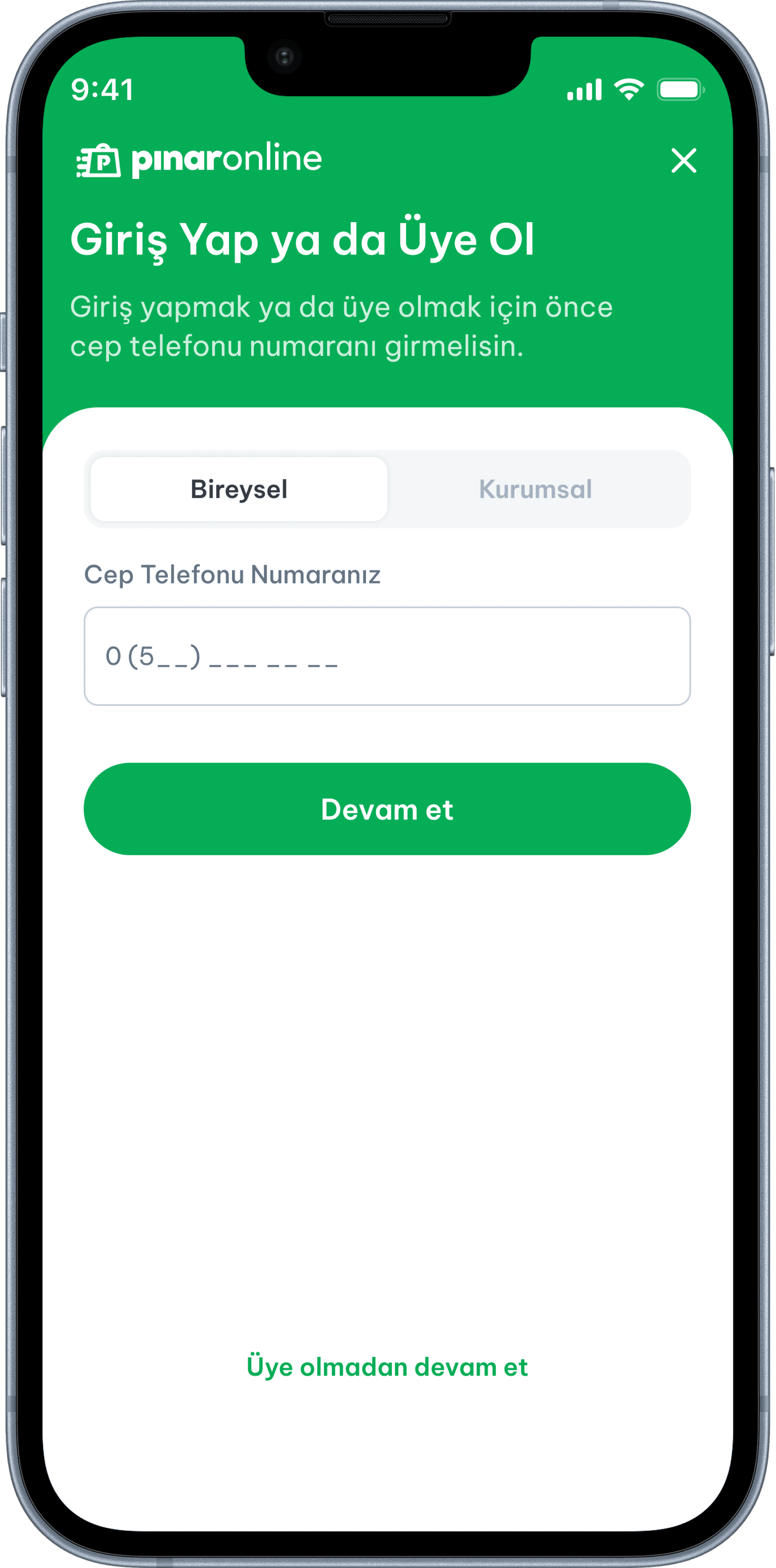
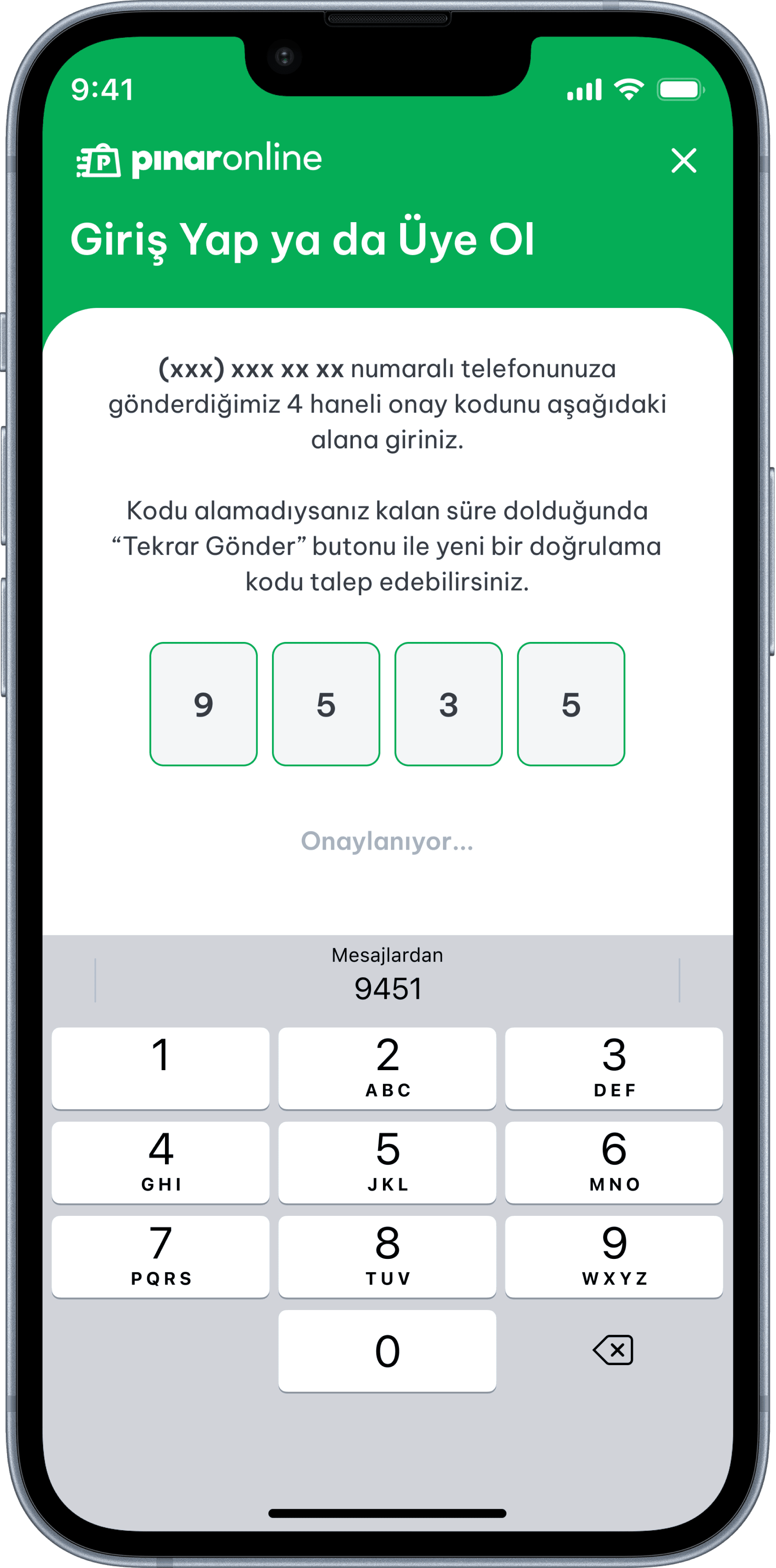
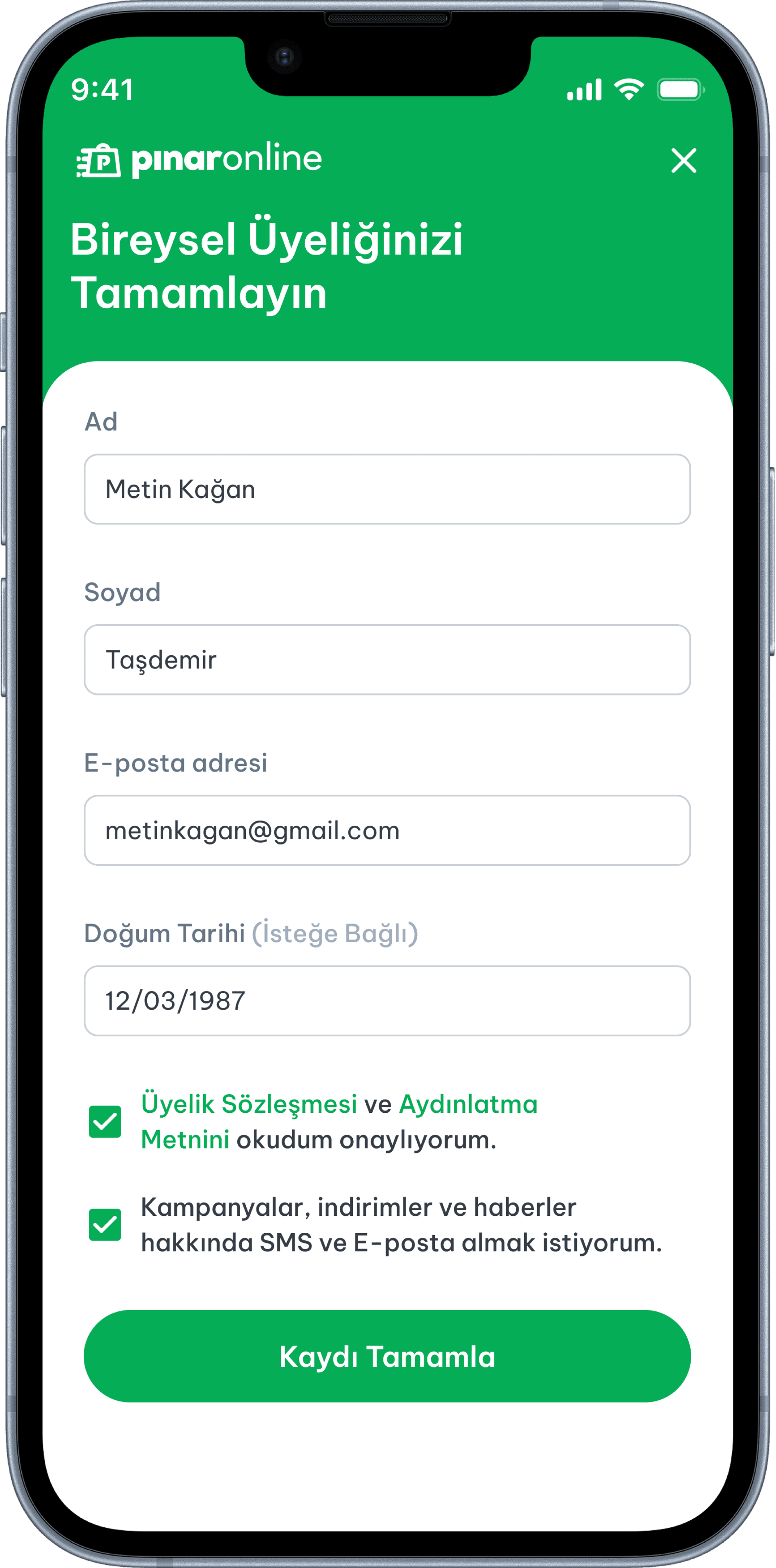
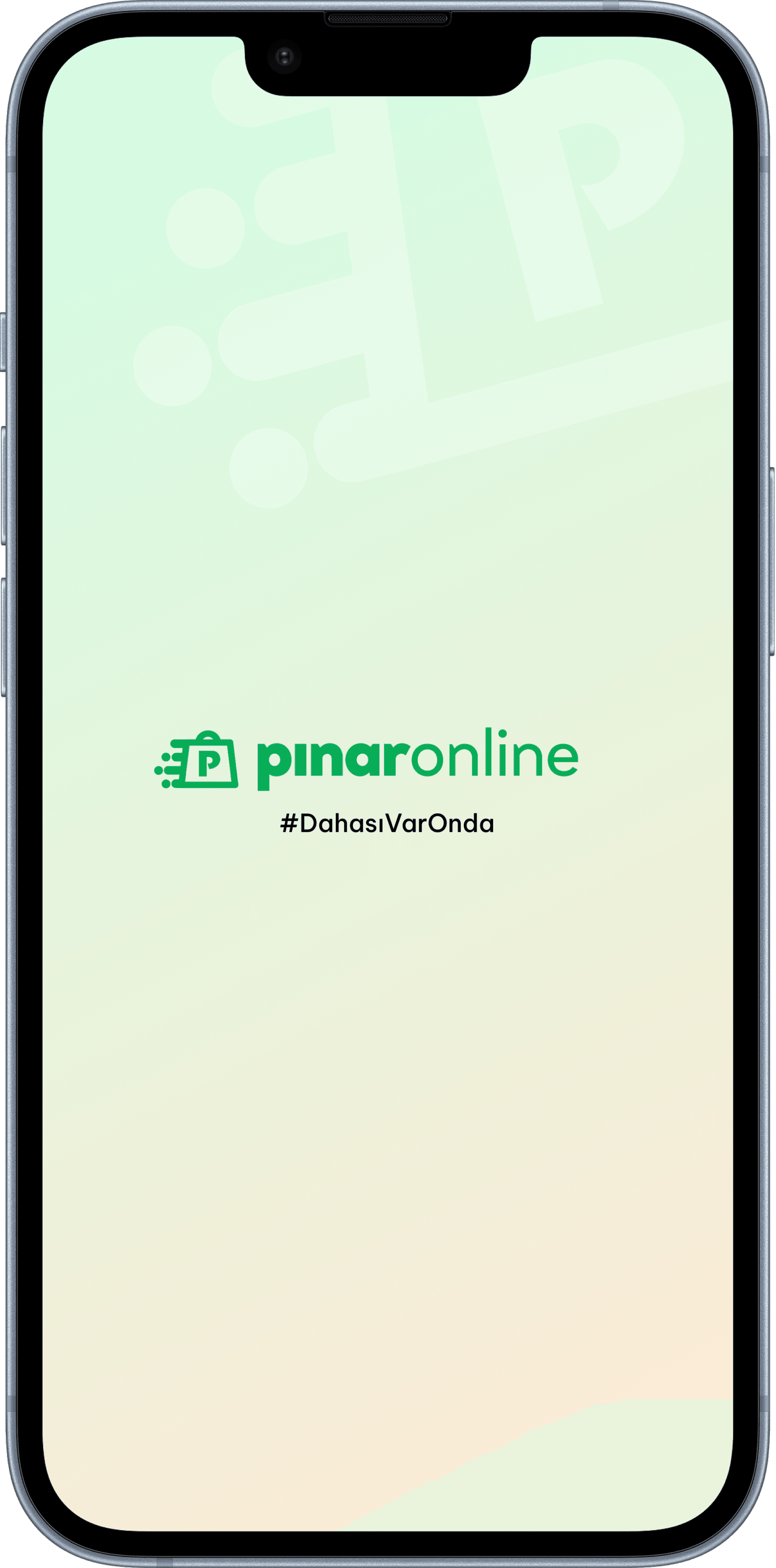
The onboarding flow uses phone number authentication with OTP verification a pattern well-suited to a Turkish market where phone-based login is the expected default. The design prioritizes speed of entry: a single input field, clear CTA, and a minimal registration form for new users.

Splash & Login

The onboarding flow uses phone number authentication with OTP verification a pattern well-suited to a Turkish market where phone-based login is the expected default. The design prioritizes speed of entry: a single input field, clear CTA, and a minimal registration form for new users.

Splash & Login

The onboarding flow uses phone number authentication with OTP verification a pattern well-suited to a Turkish market where phone-based login is the expected default. The design prioritizes speed of entry: a single input field, clear CTA, and a minimal registration form for new users.

Search, Listing & Filtering

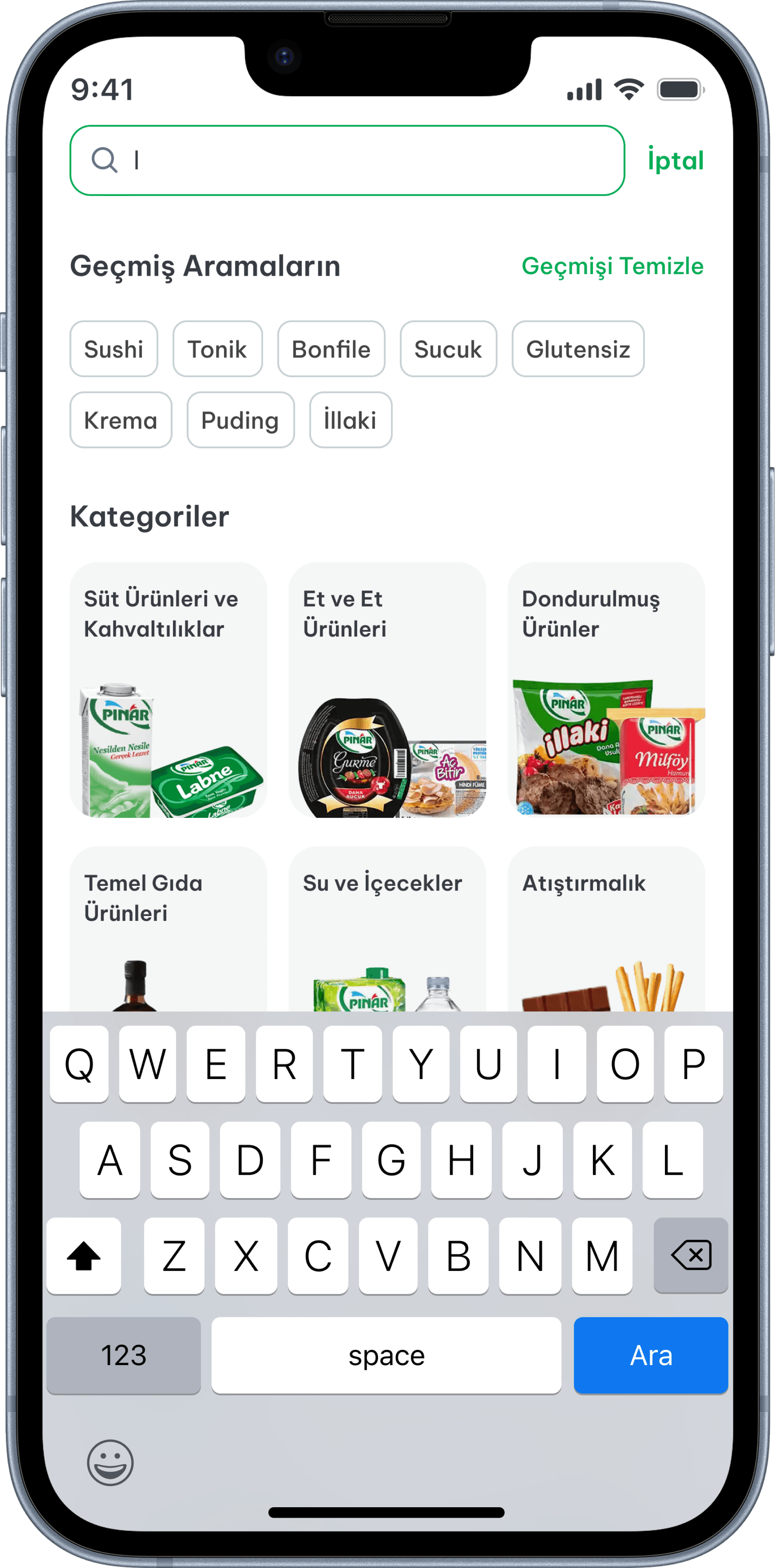
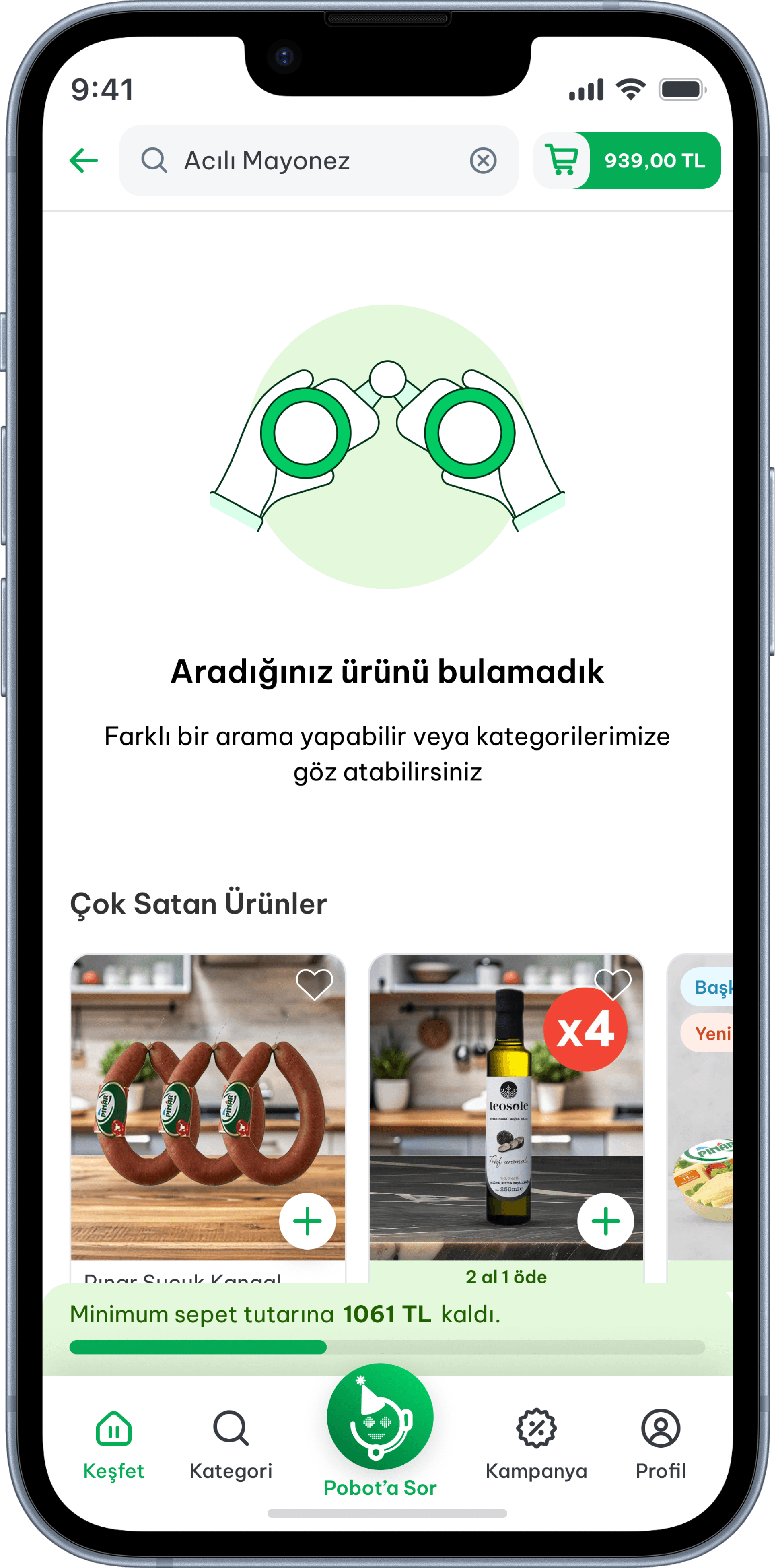
The search screen opens in active focus with the keyboard visible. Previous searches appear as dismissible tags, and a category grid below allows browsing without typing. When a search returns no results, an empty state surfaces alternative categories to prevent dead ends.

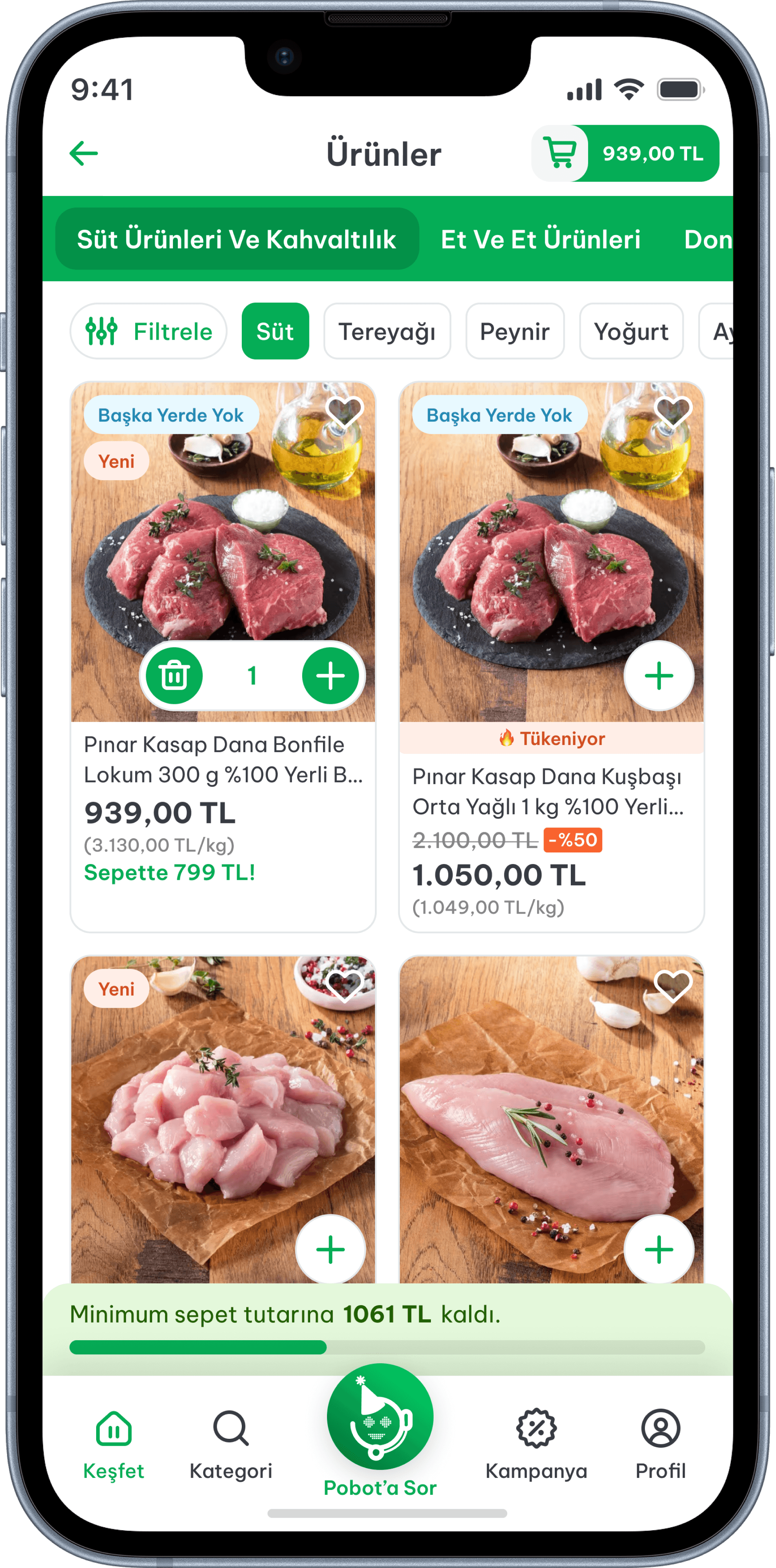
The listing screen uses a two-column card grid with a category tab menu at the top and a secondary tag strip for quick in-category filtering. Cards display price, discount, unit price, and promotional labels enough information to decide without opening the detail page.

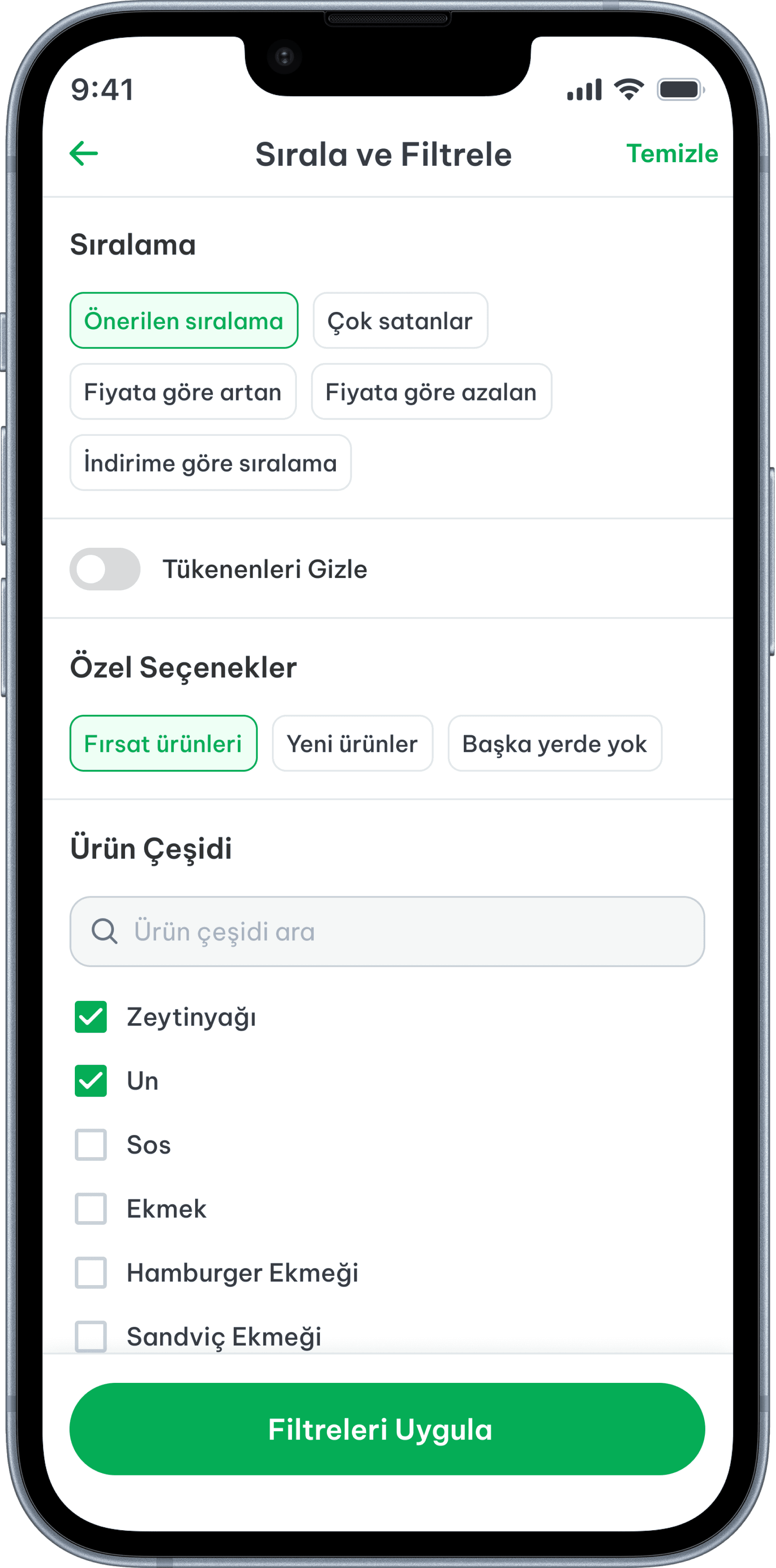
The filter screen organizes six dimensions sorting, special options, product type, property, size, and brand into clearly labeled sections. Short lists use tag chips; longer lists use searchable checkboxes with progressive disclosure. A sticky "Apply Filters" bar stays visible throughout.

Search, Listing & Filtering

The search screen opens in active focus with the keyboard visible. Previous searches appear as dismissible tags, and a category grid below allows browsing without typing. When a search returns no results, an empty state surfaces alternative categories to prevent dead ends.

The listing screen uses a two-column card grid with a category tab menu at the top and a secondary tag strip for quick in-category filtering. Cards display price, discount, unit price, and promotional labels enough information to decide without opening the detail page.

The filter screen organizes six dimensions sorting, special options, product type, property, size, and brand into clearly labeled sections. Short lists use tag chips; longer lists use searchable checkboxes with progressive disclosure. A sticky "Apply Filters" bar stays visible throughout.

Search, Listing & Filtering

The search screen opens in active focus with the keyboard visible. Previous searches appear as dismissible tags, and a category grid below allows browsing without typing. When a search returns no results, an empty state surfaces alternative categories to prevent dead ends.

The listing screen uses a two-column card grid with a category tab menu at the top and a secondary tag strip for quick in-category filtering. Cards display price, discount, unit price, and promotional labels enough information to decide without opening the detail page.

The filter screen organizes six dimensions sorting, special options, product type, property, size, and brand into clearly labeled sections. Short lists use tag chips; longer lists use searchable checkboxes with progressive disclosure. A sticky "Apply Filters" bar stays visible throughout.

Product Detail

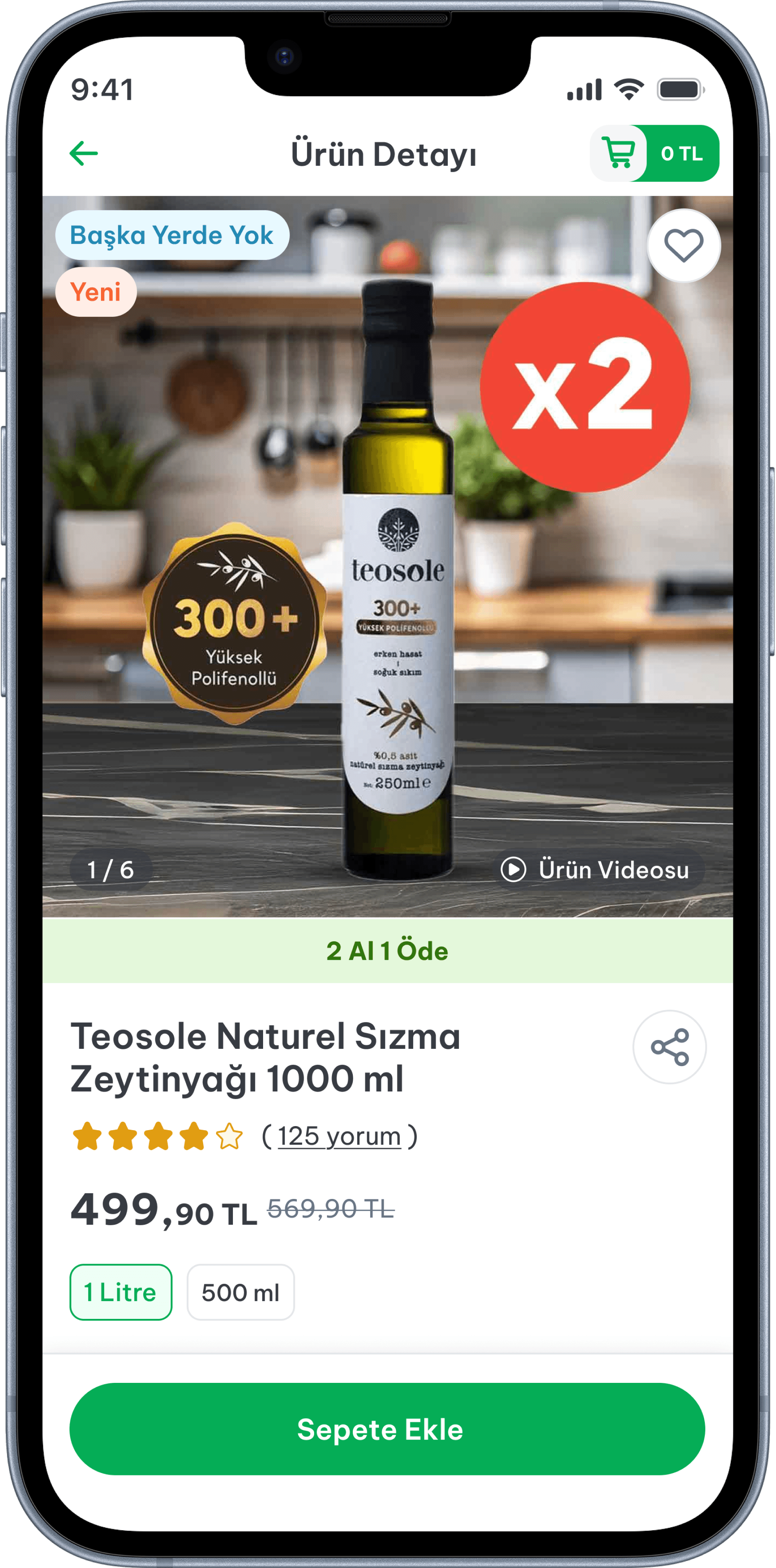
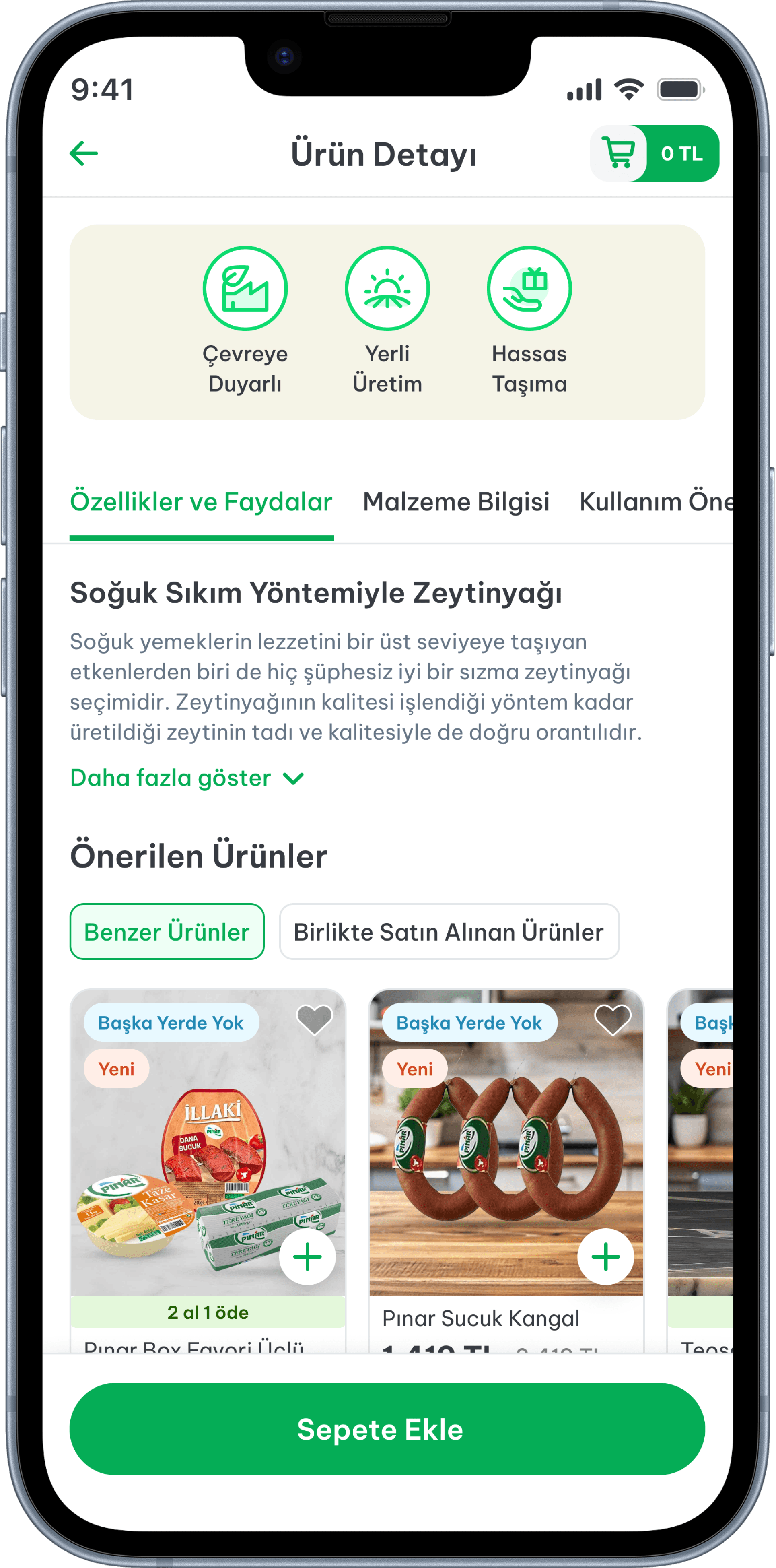
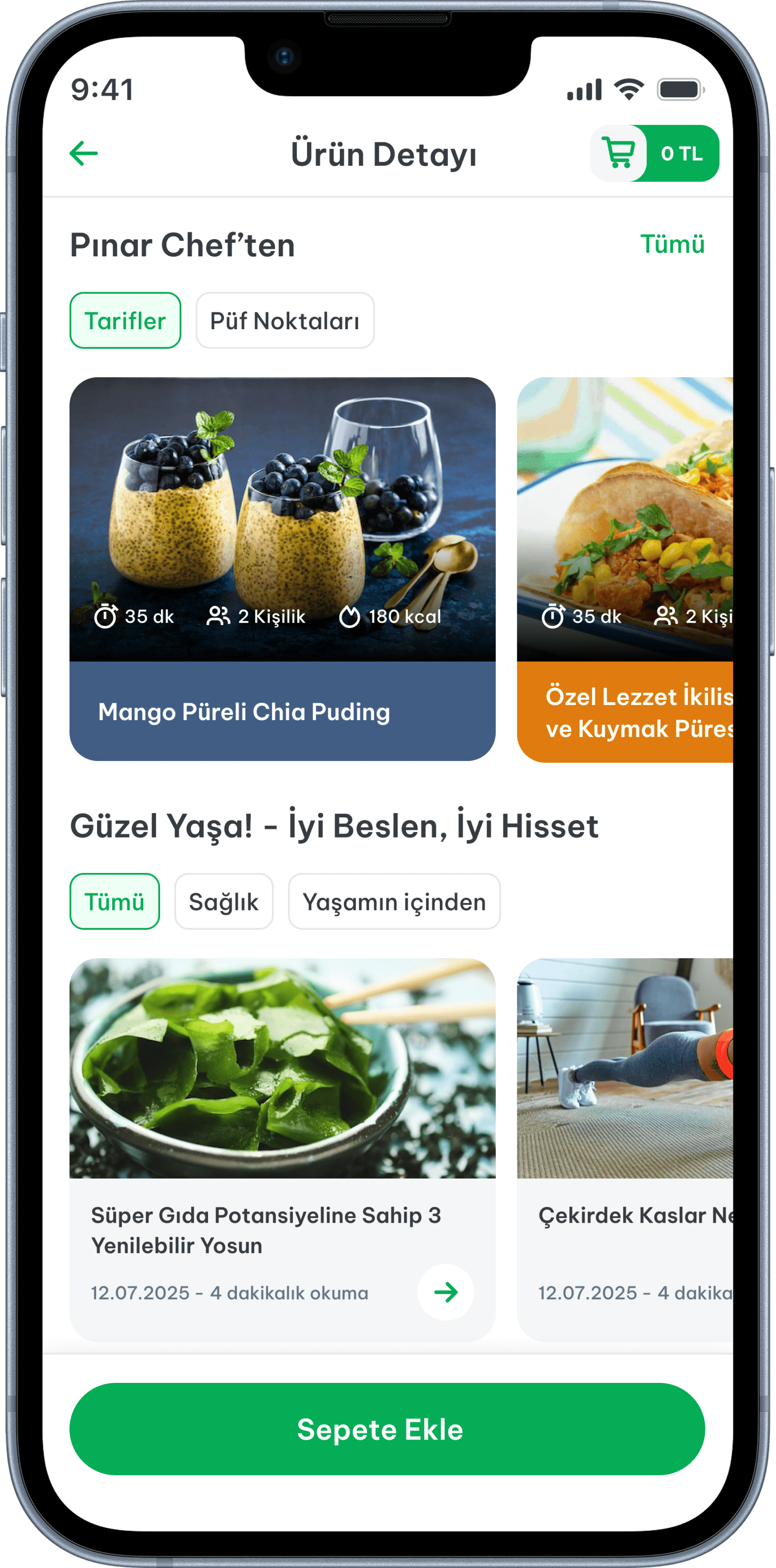
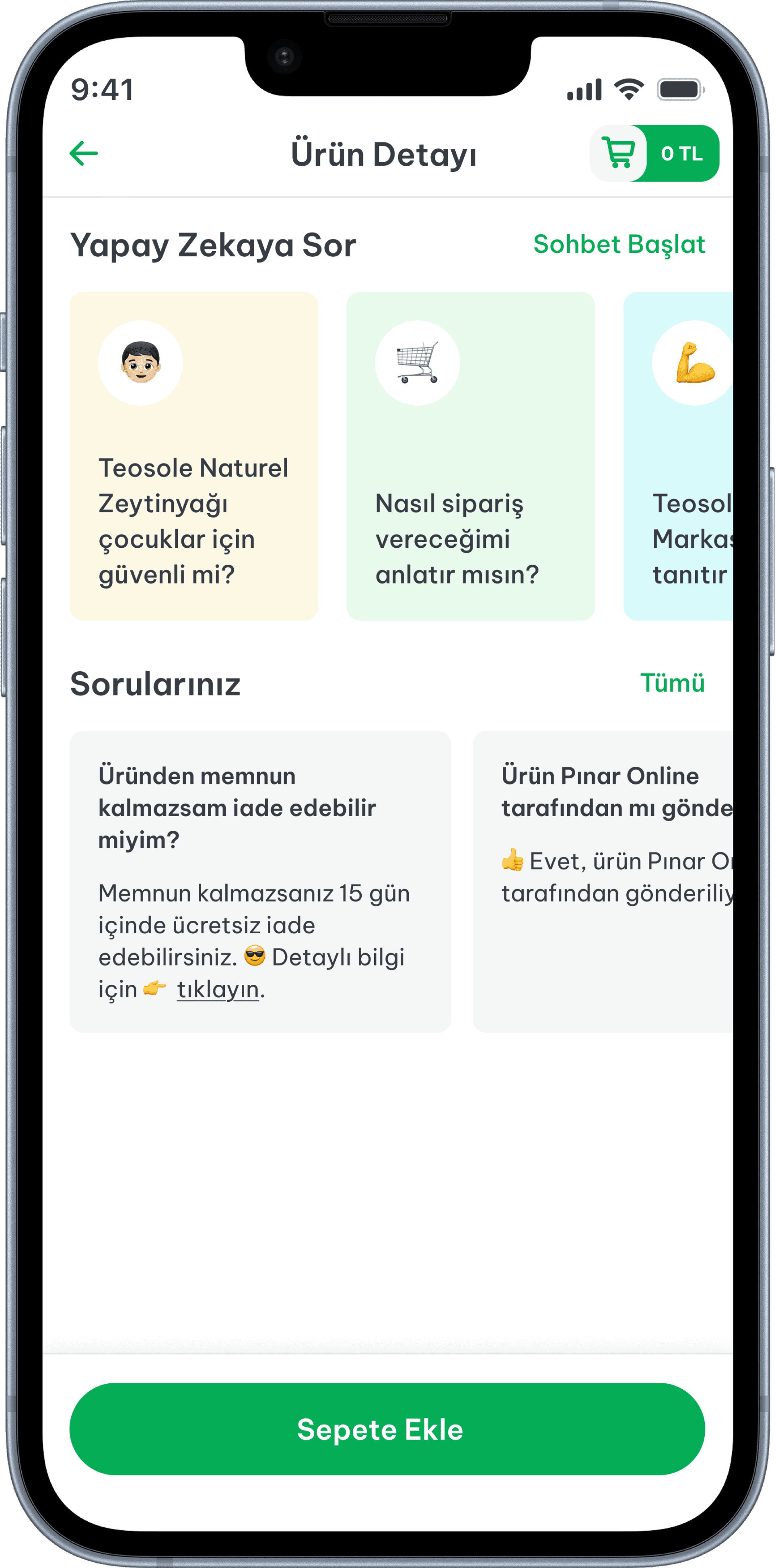
The detail page is structured around progressive trust-building: the product image leads, followed by name, pricing breakdown, promotional badges, unit price, and a quantity selector. Key purchase information stock status, delivery window, campaign conditions is surfaced before the add-to-cart action rather than after it. The goal was to ensure that by the time a user taps "Add," there are no remaining questions that would cause hesitation or a return visit.

Product Detail

The detail page is structured around progressive trust-building: the product image leads, followed by name, pricing breakdown, promotional badges, unit price, and a quantity selector. Key purchase information stock status, delivery window, campaign conditions is surfaced before the add-to-cart action rather than after it. The goal was to ensure that by the time a user taps "Add," there are no remaining questions that would cause hesitation or a return visit.

Product Detail

The detail page is structured around progressive trust-building: the product image leads, followed by name, pricing breakdown, promotional badges, unit price, and a quantity selector. Key purchase information stock status, delivery window, campaign conditions is surfaced before the add-to-cart action rather than after it. The goal was to ensure that by the time a user taps "Add," there are no remaining questions that would cause hesitation or a return visit.

Profile

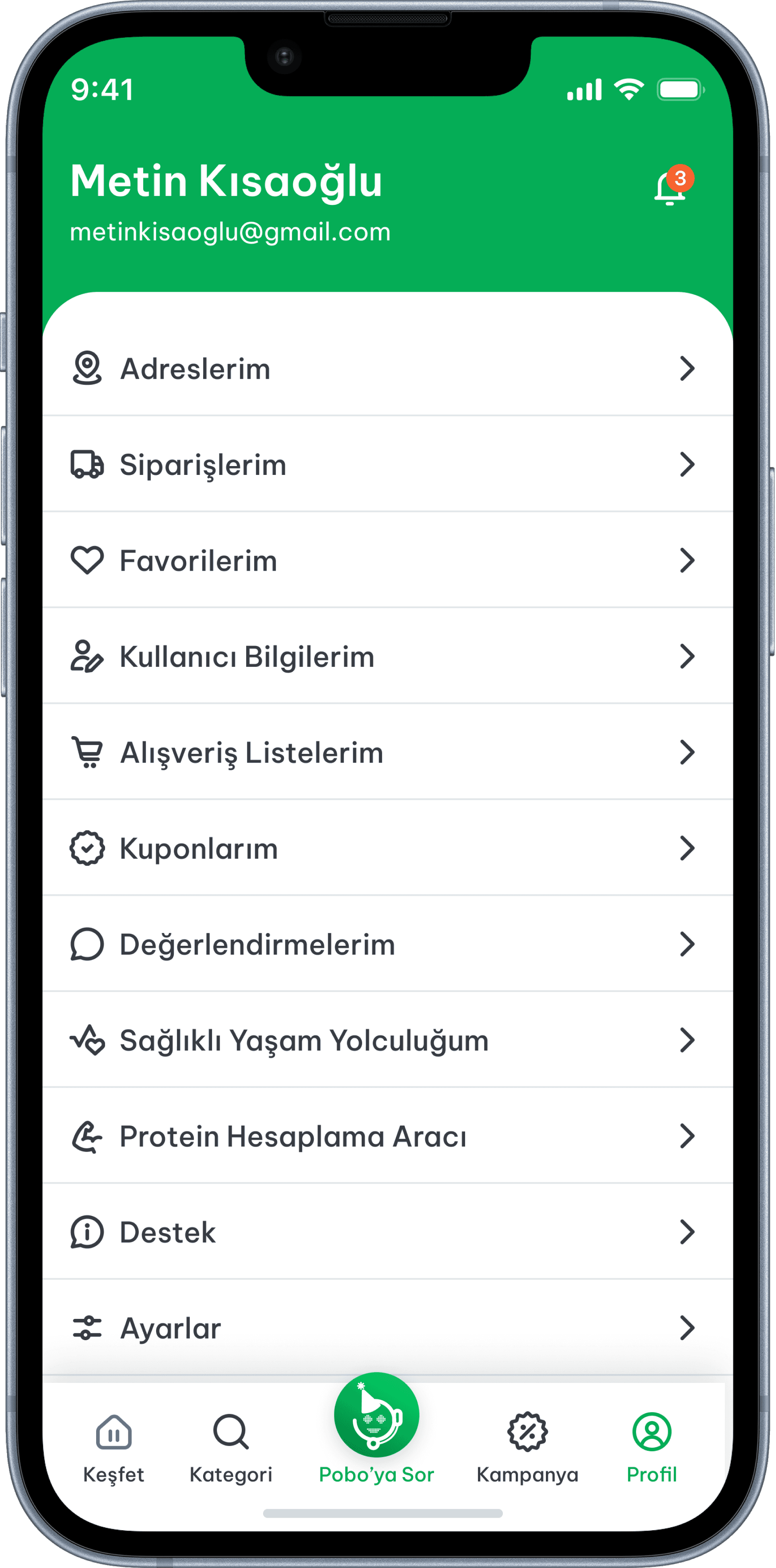
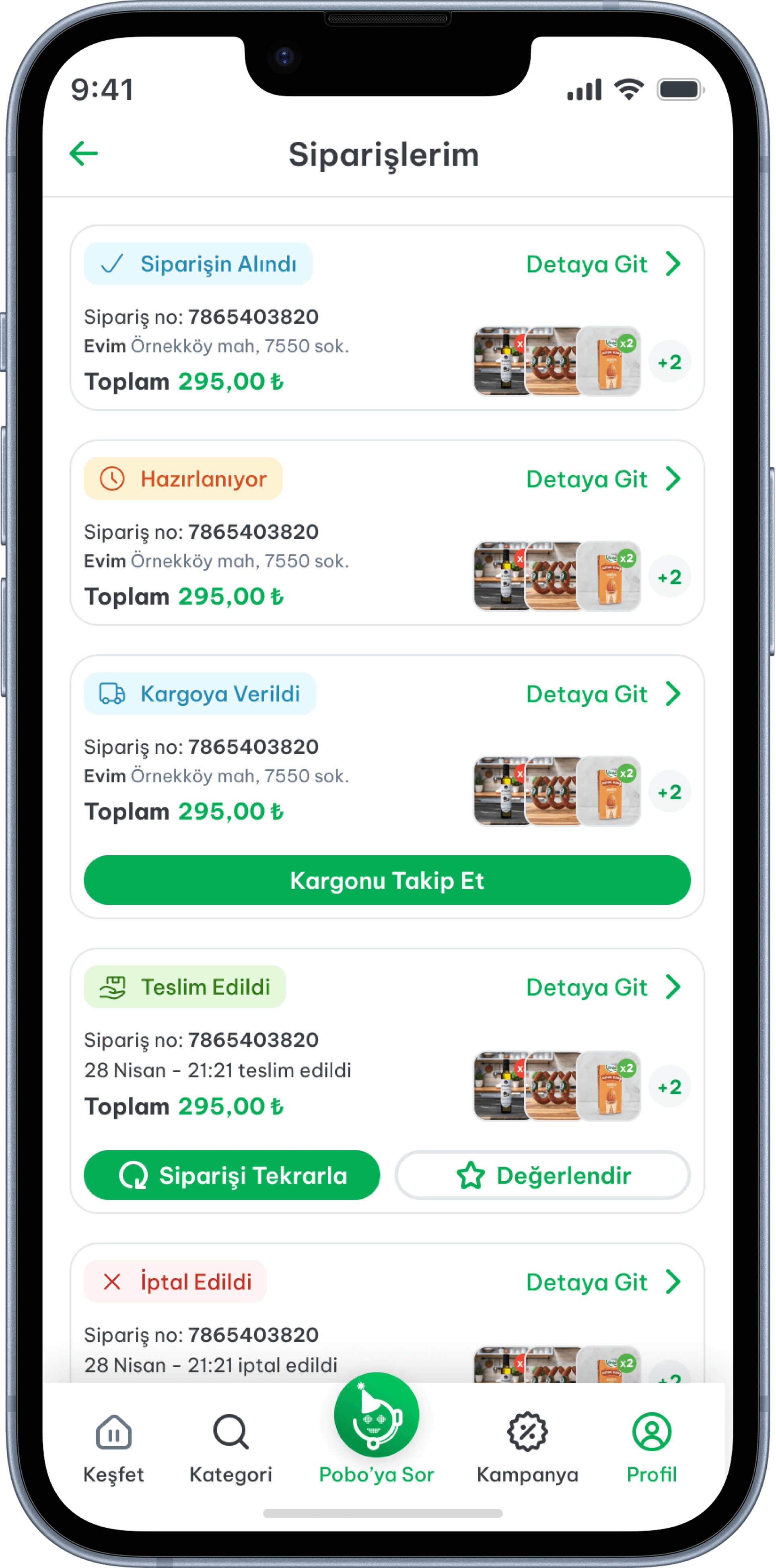
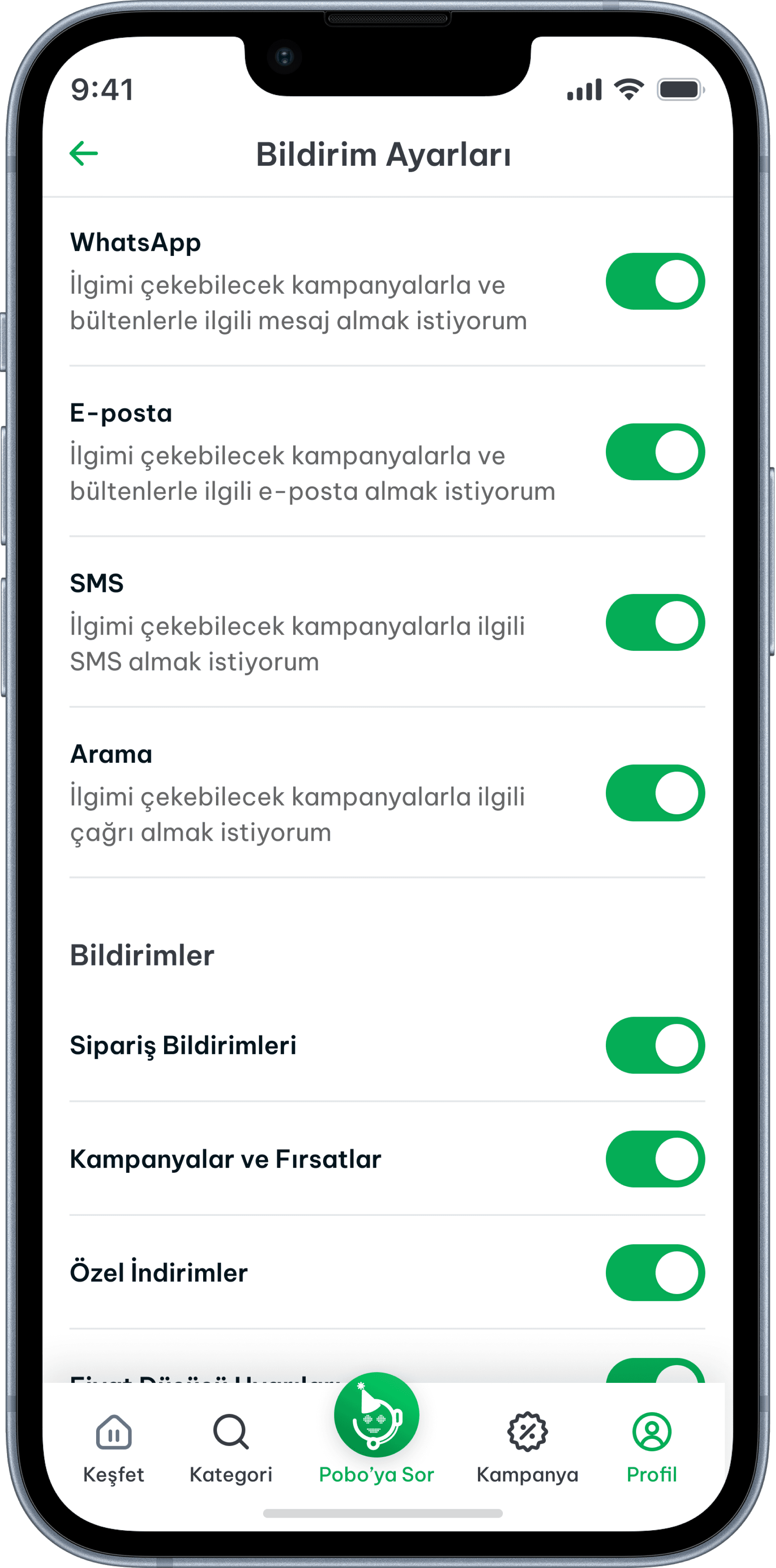
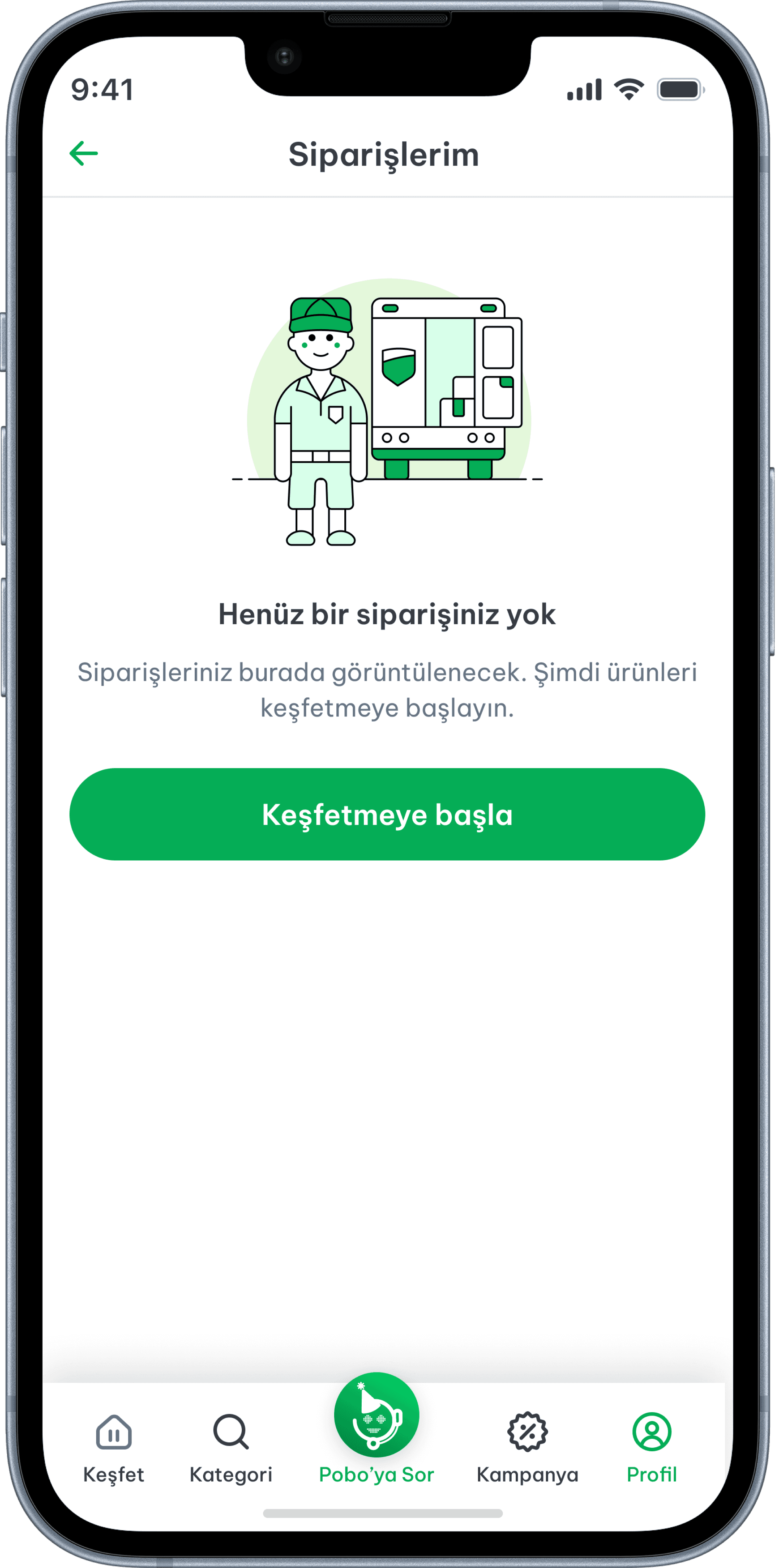
The profile section gives users a central place to manage their account. The screen opens with the user's name and email at the top, followed by a list-based menu covering orders, addresses, favorites, payment methods, app settings etc. The layout is functional and task-oriented users come here with a specific action in mind, so the design prioritizes quick access over visual hierarchy.

Profile

The profile section gives users a central place to manage their account. The screen opens with the user's name and email at the top, followed by a list-based menu covering orders, addresses, favorites, payment methods, app settings etc. The layout is functional and task-oriented users come here with a specific action in mind, so the design prioritizes quick access over visual hierarchy.

Profile

The profile section gives users a central place to manage their account. The screen opens with the user's name and email at the top, followed by a list-based menu covering orders, addresses, favorites, payment methods, app settings etc. The layout is functional and task-oriented users come here with a specific action in mind, so the design prioritizes quick access over visual hierarchy.